






Hoverboard Won’t Turn On? Common Causes and Safe Troubleshooting Steps
Disha Shah
30 October 2026
26 Minutes Read
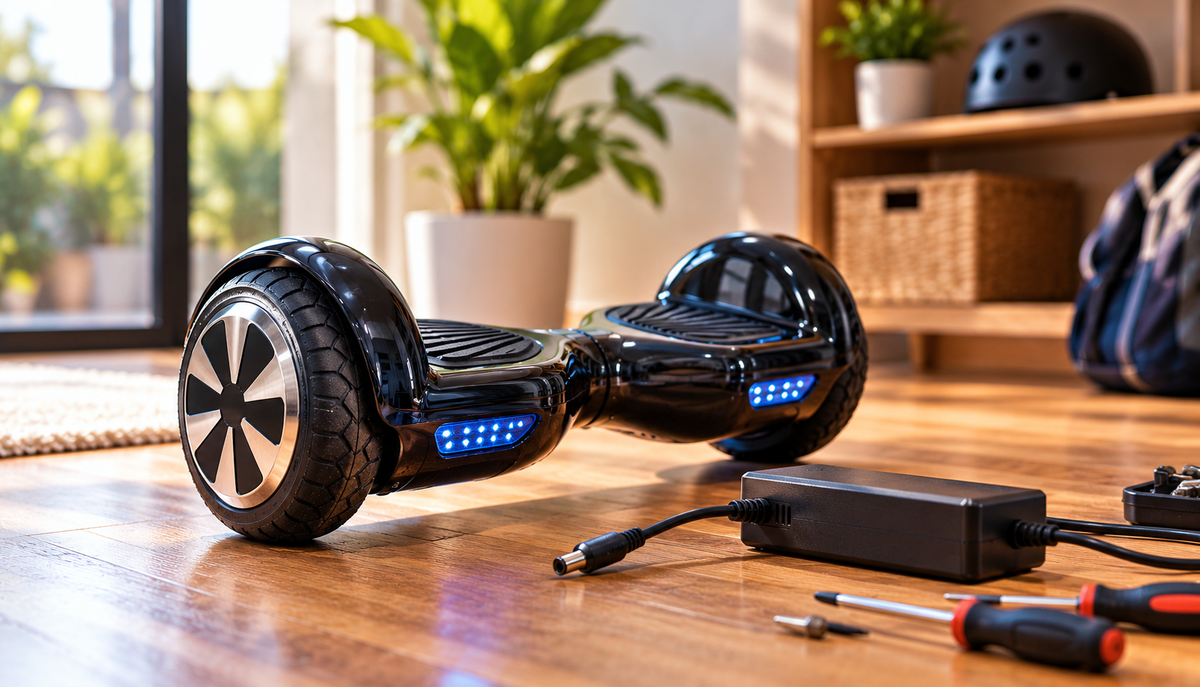
Pressing the power button on your hoverboard and getting no response can be frustrating, especially when you’re ready for a ride. Whether you own a kids’ hoverboard, a Bluetooth hoverboard or an all-terrain model, a power failure can have several possible causes.
A hoverboard that won’t turn on may have a flat battery, a faulty charger, a damaged charging port, a malfunctioning power button or an internal electrical fault. Sometimes, the problem is straightforward to identify. Other times, the hoverboard needs professional inspection.
At Australia Hoverboards, we want Australian riders and parents to understand the common causes of hoverboard problems and know which checks are safe to perform at home.
In this guide, we’ll explain why your hoverboard won’t turn on, how to troubleshoot common symptoms safely, and when to seek professional assistance.
Quick Answer: Why Won’t My Hoverboard Turn On?
If your hoverboard won’t turn on, start by checking whether the battery is charged, the charger is compatible, the power outlet works and the charging port appears undamaged.
Here are the most common possibilities:
| What you notice | Possible cause | What to do |
|---|---|---|
| No lights or sounds | Flat battery, faulty charger or power-button problem | Check the charger and power supply. |
| Charger doesn’t appear to work | Faulty outlet, incompatible charger or damaged charging port | Check the outlet and inspect the charging equipment. |
| Hoverboard turns on briefly, then switches off | Low battery or an internal fault | Stop riding and arrange an inspection if it continues. |
| Red warning light or repeated beeping | Low battery, sensor issue or another model-specific fault | Check the manufacturer’s instructions for your model. |
| Hoverboard stopped working after getting wet | Possible moisture damage | Do not charge or switch it on; seek professional advice. |
| Burning smell, unusual heat or swollen battery casing | Possible battery or electrical failure | Stop using and charging the hoverboard immediately. |
Important: These symptoms are clues, not definitive diagnoses. Warning lights and charger indicators vary between hoverboard models.
1. The Battery May Be Completely Flat
A depleted battery is one possible reason a hoverboard won’t turn on. This can happen after repeated rides, prolonged storage or leaving the board unused for an extended period.
When the battery voltage falls below the level required for normal operation, the hoverboard may fail to start or may switch off shortly after powering up.
How to check
- Switch the hoverboard off.
- Inspect the exterior for cracks, swelling, unusual heat or other signs of damage.
- Check the manufacturer’s charging instructions.
- If there are no signs of damage, connect the original charger or a manufacturer-approved compatible charger.
- Observe the charger indicator and compare it with the expected behaviour in your model’s manual.
- Allow the battery to charge for the recommended period, then disconnect the charger and check whether the hoverboard powers on normally.
Charging times vary by model, battery capacity and charger specification.
If the hoverboard remains unresponsive after charging, avoid repeatedly connecting and disconnecting it in an attempt to force it to start.
If your hoverboard is not powering on, understanding its normal charging duration can help you identify potential battery or charging issues. Read our guide on how long a hoverboard takes to charge to learn more about charging times and what to check if your battery is not charging correctly.
2. Check the Charger and Power Outlet
Sometimes, the problem isn’t the hoverboard itself. The charger may not be supplying power correctly, or the wall outlet may be faulty.
A damaged cable, incompatible charger or worn charging connector can also prevent the battery from charging.
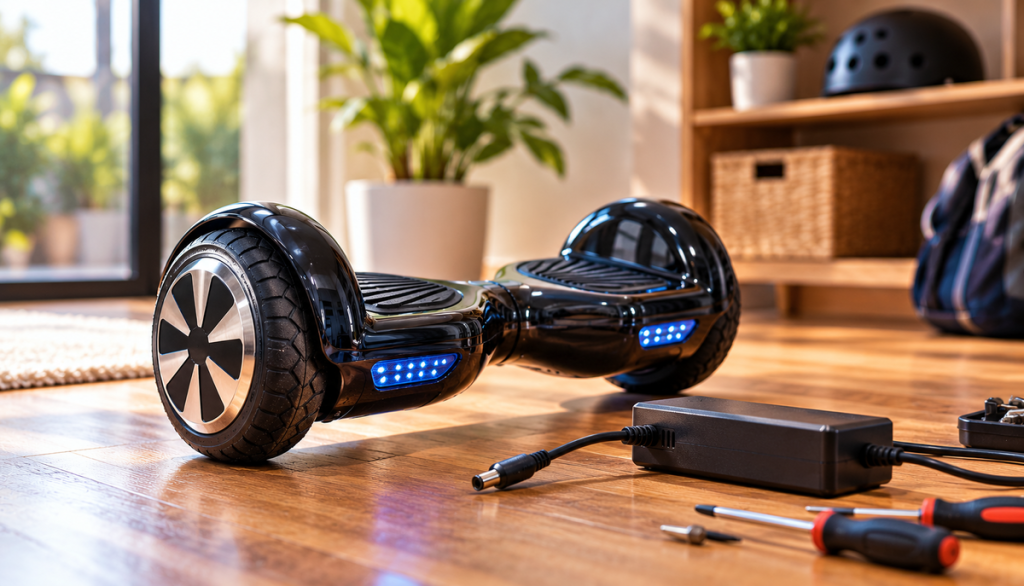
What you can safely check
- Confirm that the wall outlet is working using a suitable electrical device.
- Check the charger’s cable and plug for visible damage.
- Inspect the hoverboard’s charging port for obvious damage or debris without inserting tools.
- Check whether the charger is the correct model and specification for your hoverboard.
- Observe the charger indicator according to the manufacturer’s instructions.
Do not use a charger simply because its plug fits. The voltage, polarity, connector and other electrical specifications must be compatible with your hoverboard.
If the cable is frayed, the plug is damaged or the charging port appears burnt or loose, stop using the equipment.
What if the charger light stays green?
On some hoverboards, a green charger indicator can mean that the battery is fully charged. On others, the indicator may behave differently.
If the charger remains green when connected to a hoverboard that appears completely flat, the battery may not be accepting a charge. A charging-port fault or internal electrical problem is also possible.
Check your model’s manual rather than assuming that the indicator identifies a particular fault.
If the board still won’t turn on, professional testing may be needed.
3. The Power Button May Be Faulty
If the battery appears charged and the charger is working correctly, the power button could be the problem.
The button may become damaged through repeated use, impact or general wear. An internal connection associated with the power switch may also fail.
Signs of a possible power-button problem
- The button feels stuck or physically damaged.
- Pressing it produces no response despite an apparently charged battery.
- The hoverboard responds inconsistently when you press the button.
- The board stopped powering on after being dropped or knocked.
What should you do?
First, switch off and disconnect the charger. Inspect the exterior of the power button for visible damage.
If the button is damaged or the hoverboard remains unresponsive, contact the manufacturer, seller or a qualified repair technician.
Avoid opening the casing to inspect electrical connections unless you are appropriately qualified and the manufacturer authorises that work. Opening the board may also affect your warranty.
4. The Hoverboard May Have an Internal Electrical Fault
A hoverboard contains several electrical components that work together, including a rechargeable battery, control electronics, sensors and motor systems.
A fault involving the power switch, internal wiring, battery-management system or control board may prevent the hoverboard from starting.
Internal faults become more likely when basic external checks do not resolve the problem.
Possible warning signs
- The hoverboard suddenly stopped working.
- The power button produces no response despite a verified power supply.
- The hoverboard starts briefly and then shuts down repeatedly.
- Warning indicators appear alongside a power failure.
- The board stopped functioning after an impact.
These symptoms do not identify a specific failed component. A qualified technician may need to test the electrical system to determine the cause.
Do not bypass fuses, bridge electrical connections or attempt to repair the battery pack yourself. Lithium-ion batteries can present serious fire and injury risks when damaged or handled incorrectly.
If your hoverboard is still under warranty, contact the seller or manufacturer before authorising repairs or purchasing replacement parts.
5. Your Hoverboard May Have a Battery or Charging-Port Fault
A hoverboard that won’t turn on after being left unused for weeks or months may have a battery-related problem.
Lithium-ion batteries gradually lose charge during storage. If a battery remains deeply discharged for an extended period, it may no longer accept a charge normally.
A damaged charging port or internal charging circuit can produce similar symptoms.
What to do if your hoverboard has been stored for a long time
- Check the exterior for battery damage, cracks or unusual swelling.
- Look for signs of moisture exposure or corrosion around the charging port.
- Confirm that you have the correct charger.
- Follow the manufacturer’s instructions for charging a stored hoverboard.
- If the board does not charge normally, stop and seek professional advice.
Do not leave a non-responsive hoverboard connected to a charger unattended in an attempt to revive its battery.
If the battery is swollen, unusually hot, leaking or producing a chemical smell, do not charge, open or continue using the board.
6. Did Your Hoverboard Stop Working After Getting Wet?
Water exposure can damage the electrical components inside a hoverboard.
Even if the exterior appears dry, moisture may have reached the battery, connectors or control electronics. Attempting to switch on or charge a wet hoverboard can increase the risk of an electrical fault or battery-related incident.
What to do after water exposure
- Stop using the hoverboard immediately.
- Do not connect it to a charger.
- Do not repeatedly press the power button to test whether it works.
- Keep it away from heat sources and combustible materials.
- Contact the manufacturer or a qualified technician for advice.
Do not assume that leaving a wet hoverboard to dry makes it safe to use again. Internal damage may not be visible.
If your hoverboard was exposed to significant moisture, professional assessment is the safest next step.
7. The Hoverboard Turns On but Immediately Switches Off
Sometimes, a hoverboard powers up briefly before shutting down.
This is different from a board that shows absolutely no signs of power.
Possible causes include a depleted battery, an electrical fault, a protective shutdown or a model-specific warning condition.
What to check
First, observe the behaviour without attempting to ride the hoverboard.
- Does it switch off immediately after pressing the power button?
- Does it beep or flash a warning light?
- Does the charger indicate that charging is complete?
- Did the problem begin after a fall, impact or water exposure?
Check the manufacturer’s troubleshooting instructions for the particular model.
If the hoverboard continues to shut down, do not ride it to see whether the problem disappears. An unexpected loss of power can cause a fall.
8. Check for Warning Lights and Beeping
Some hoverboards use lights and sounds to communicate operating conditions or potential faults.
Depending on the model, these warnings may relate to battery charge, speed limits, sensor behaviour or an internal problem.
If your hoverboard won’t turn on normally and displays a red light or produces repeated beeps, pay attention to the exact pattern.
Follow these steps
- Switch the hoverboard off if you can do so safely.
- Check the manufacturer’s manual for the warning-light or beep pattern.
- Inspect the exterior for obvious damage.
- Avoid riding while the warning remains unresolved.
- Seek professional assistance if the hoverboard remains unresponsive or the warning persists.
Do not assume that every flashing red light means the battery is flat. The meaning depends on the model.
If your hoverboard beeps repeatedly or displays warning indicators when you try to turn it on, the sound may help identify an operating issue. Read our guide on why a hoverboard keeps beeping to understand common causes and the appropriate troubleshooting steps.
9. When Should You Stop Troubleshooting?
Some hoverboard problems are suitable for basic external checks. Others require professional assessment.
Stop using and charging your hoverboard if you notice:
- A swollen or damaged battery casing.
- Unusual heat, smoke or a burning or chemical smell.
- A damaged charging cable, plug or charging port.
- Signs of significant water damage.
- Repeated unexpected shutdowns.
- Severe physical damage after an impact.
Never open a lithium-ion battery pack or attempt to repair damaged battery cells.
If the hoverboard is smoking or shows signs of a battery fire, move away, keep others clear and contact emergency services when appropriate. Do not handle or move a smoking or overheating battery.
The Australian Competition and Consumer Commission provides safety information for self-balancing scooters, including the fire risks associated with lithium-ion batteries.
For additional safety information, consult the Australian Competition and Consumer Commission’s self-balancing scooters safety guide, which provides guidance for consumers on using these products safely.
10. How to Prevent Hoverboard Power Problems
Regular care can help you identify potential issues early and maintain your hoverboard properly.
Follow the correct charging procedure
Use only the charger specified or approved for your model. Follow the recommended charging time and instructions.
Store your hoverboard correctly
Keep your hoverboard in a cool, dry place away from direct sunlight and excessive heat. Follow the manufacturer’s guidance for battery charge levels during long-term storage.
Inspect the exterior regularly
Look for cracks, damaged cables, loose external components and signs of impact before riding.
Keep the hoverboard dry
Avoid water exposure unless the manufacturer explicitly specifies an appropriate level of water resistance. Even then, follow the stated limitations.
Avoid overloading the hoverboard
Follow the manufacturer’s minimum and maximum rider-weight limits. Excessive load can affect performance and place additional strain on the motors and electrical system.
Follow the manufacturer’s maintenance instructions
If your hoverboard behaves unusually, develops a warning light or stops responding normally, investigate the issue before riding again.
Regular maintenance can help you identify visible damage, charging issues and other potential problems before your next ride. Follow our guide on how to maintain your hoverboard in Australia’s climate for practical advice on storage, cleaning and general care.
Frequently Asked Questions
1. Why won’t my hoverboard turn on even after charging?
A hoverboard may remain unresponsive after charging because of a faulty charger, damaged charging port, degraded battery, power-button fault or internal electrical problem. Check the external power supply and follow the manufacturer’s instructions. If the board still won’t turn on, arrange a professional inspection.
2. How do I know if my hoverboard battery is dead?
Possible signs include unusually short running time, failure to accept a charge and unexpected shutdowns. However, similar symptoms can result from a faulty charger or charging circuit. A qualified technician can test the battery and identify the cause.
3. Why is my hoverboard flashing red but not turning on?
A flashing red light may indicate a low battery, sensor issue or another model-specific fault. Check the manufacturer’s manual for your hoverboard’s warning pattern. Do not assume that charging alone will resolve the issue.
4. Can I leave my hoverboard charging overnight?
Follow the charging instructions supplied with your specific hoverboard. Avoid leaving it charging unattended or beyond the manufacturer’s recommended procedure. Never charge a board with a damaged, swollen or unusually hot battery.
5. Can I fix a hoverboard that won’t turn on at home?
You can safely check the wall outlet, inspect the charger for visible damage, confirm compatibility and look for obvious external damage. Internal battery, wiring and circuit-board repairs should be handled by appropriately qualified technicians.
6. Should I replace my hoverboard battery if it won’t turn on?
Not necessarily. A faulty charger, damaged charging port or internal electrical fault can produce similar symptoms. Have the cause identified before purchasing a replacement battery, and use only a compatible replacement approved for the model.
7. What should I do if my hoverboard stops working after rain?
Stop using it and do not charge or repeatedly switch it on. Moisture can damage internal electronics and lithium-ion battery systems. Contact the manufacturer or a qualified technician for advice before attempting to use the hoverboard again.
Final Thoughts
A hoverboard that won’t turn on does not necessarily need replacing. The problem may be related to the battery charge, charger, power button or an internal electrical component.
Start with safe external checks, follow the manufacturer’s instructions and pay attention to warning lights or unusual behaviour. If the hoverboard remains unresponsive, shows signs of water damage or displays any battery-related warning signs, stop troubleshooting and seek professional assistance.
At Australia Hoverboards, our goal is to help Australian riders make informed decisions about hoverboard use, maintenance and safety. Understanding the possible causes of a power failure can help you identify the next appropriate step without risking further damage or injury.
Need a hoverboard for your next ride? Explore the Australia Hoverboards range and compare available models, specifications and features before choosing a hoverboard that suits your needs.